
Cubasis 3 - DAW & Music Studio
Steinberg Media Technologies GmbHMusic & Audio
4.5233.00 Reviews
- Version
- 3.8.3
- Installs
- 10.00K
- Age Rating
- Everyone
Screenshots
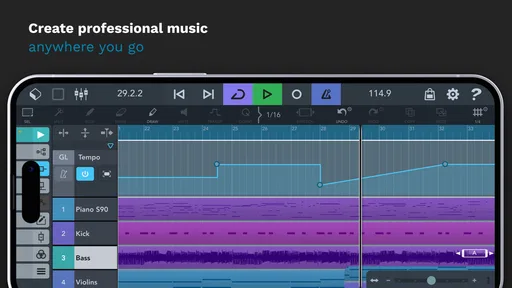
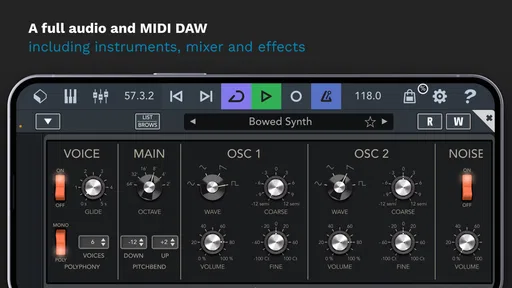
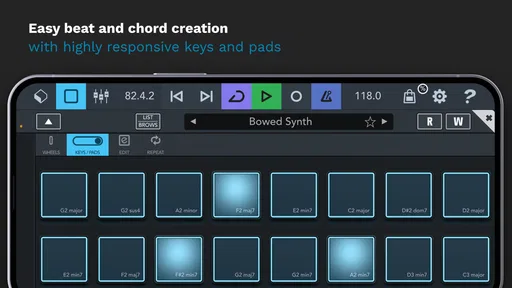
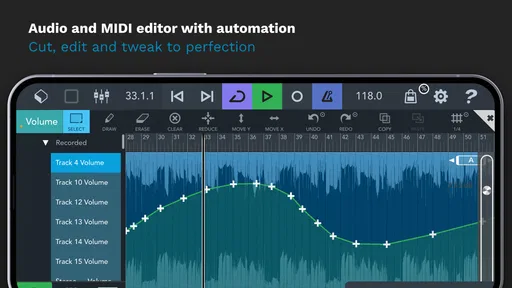
Our Review of Cubasis 3 - DAW & Music Studio
 Analysis by Appyee
Have you ever wanted to carry around a full-fledged music studio in your pocket? Well, with Cubasis 3 - DAW & Music Studio, you might just have found the ultimate mobile solution for your music production needs. I’ve spent some quality time with this app, and let me tell you, it’s a game-changer for musicians on the go.
Getting Started with Cubasis 3
Right off the bat, installing Cubasis 3 - DAW & Music Studio is a breeze. It’s available on both Android and iOS, and the download process is as smooth as a well-mixed track. Once you open it, you’re greeted by a clean and intuitive interface that feels welcoming, even if you’re new to digital audio workstations.
The app offers a plethora of features that cater to both beginners and seasoned producers. From multiple track recording to MIDI editing, it’s all here. The layout is quite user-friendly, and I found myself navigating through the menus with ease. This app is definitely designed with usability in mind.
Features That Hit the Right Note
The feature set of Cubasis 3 is impressive. Let me break down some of the highlights:
- Audio and MIDI Recording: You can record multiple audio and MIDI tracks, which is perfect for layering complex compositions.
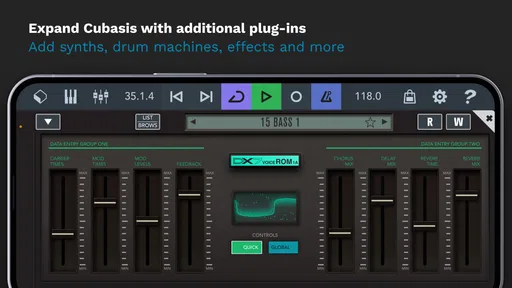
- Virtual Instruments: The app includes a wide range of virtual instruments that sound fantastic. From synths to pianos, it’s all there.
- Effects and Plug-ins: With a variety of effects and the ability to add third-party plug-ins, your creative possibilities are almost endless.
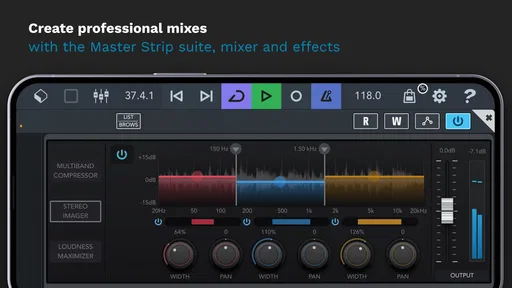
- Mixing and Automation: The mixing capabilities are robust, allowing for professional-grade adjustments and automation.
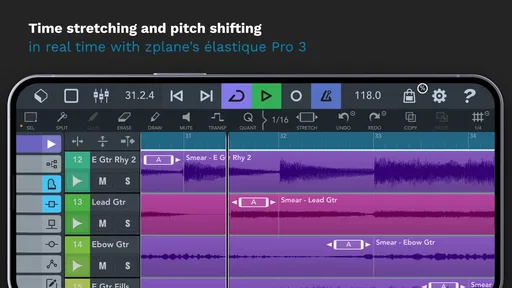
- Time-Stretching and Pitch-Shifting: These features work seamlessly, maintaining audio quality while giving you the flexibility you need.
Each of these features is designed to enhance your music production experience, and the developers have certainly succeeded in providing a comprehensive toolkit.
Performance and User Experience
Performance-wise, Cubasis 3 runs like a dream. I tested it on both a mid-range Android device and an iPad, and it handled everything I threw at it without a hitch. The app is well-optimized, so you won’t have to worry about crashes or lagging, even when working on more extensive projects.
The touch interface is responsive, and the ability to zoom and scroll through tracks with gestures feels natural. The developers have clearly put a lot of thought into making the app as tactile as possible, which is crucial on a mobile platform.
Room for Improvement?
While Cubasis 3 is fantastic, it’s not without its quirks. Some users might find the initial learning curve a bit steep if they’re not familiar with DAWs. However, once you get the hang of it, it becomes second nature.
Another point to consider is the price. It’s not the cheapest app out there, but considering the extensive features and the potential to create studio-quality music, it’s worth the investment. After all, quality comes at a price.
Final Thoughts
If you’re serious about mobile music production, Cubasis 3 - DAW & Music Studio is an app you shouldn’t overlook. It combines the power of a desktop DAW with the convenience of a mobile app, making it a must-have for any musician or producer on the go. Whether you’re laying down ideas on the bus or finishing tracks in a café, Cubasis 3 has you covered.
In the ever-evolving world of mobile music production, Cubasis 3 stands out as a leader. So go on, give it a spin, and let your creativity flow!
Verdict
Strengths of Cubasis 3 - DAW & Music Studio
- Intuitive interface for music production.
- High-quality audio and effects tools.
- Excellent MIDI support and editing.
- Wide range of virtual instruments.
- Seamless project export options.
Limitations of Cubasis 3 - DAW & Music Studio
- Requires substantial device storage.
- Learning curve for beginners.
- Limited free trial features.
- Can be resource-intensive on older devices.
- Occasional crashes on large projects.
Similar Picks in This Category
View All
YouTube Music
Google LLC4.4

Samsung Music
Samsung Electronics Co., Ltd.3.8

Spotify: Music and Podcasts
Spotify AB4.3

JioSaavn - Music & Podcasts
Saavn Media Limited4.3

Lark Player:Music Player & MP3
Lark Player Studio - Music, MP3 & Video Player4.6

StarMaker: Sing Karaoke Songs
SKYWORK AI PTE. LTD.4.3
Frequently Asked Questions
What is Cubasis 3, and who is it best suited for?
Cubasis 3 is a digital audio workstation (DAW) app designed for music production on mobile devices. It offers a wide range of features like MIDI editing, virtual instruments, and real-time effects. This app is best suited for musicians, producers, and composers who want to create professional-quality music on the go.
Does Cubasis 3 support external MIDI hardware?
Yes, Cubasis 3 supports external MIDI hardware, allowing you to connect MIDI keyboards and controllers. This feature enhances your workflow by providing more tactile control over your music production. Make sure your device supports USB or Bluetooth MIDI connections to fully utilize this capability.
What are the system requirements for Cubasis 3?
Cubasis 3 is available for both Android and iOS devices. For iOS, it requires iOS 13 or later, and for Android, a device with Android 8.0 or higher is needed. Ensure your device has sufficient storage and processing power to handle the app's comprehensive features for optimal performance.
Can I export my projects to other DAWs?
Absolutely! Cubasis 3 allows you to export your projects in various formats such as WAV, MIDI, or AAF. This flexibility means you can start a project in Cubasis and later transfer it to another DAW like Cubase, Logic Pro, or Ableton Live for further refinement, making it an excellent tool for mobile music production.
Does Cubasis 3 include virtual instruments and effects?
Yes, Cubasis 3 comes with a wide array of virtual instruments and effects. It includes a variety of synthesizers, drum machines, and audio effects like reverb, delay, and EQ. These tools provide a full production suite directly on your mobile device, enabling you to create diverse and professional-sounding tracks.
